DataDocks Features
Automated Scheduling Rules
Create flexible business rules for scheduling, approvals, and compliance to match your site's workflow and streamline decision-making.
Trusted by the best



How to Implement This in Your Operations
Start by documenting the rules your team already follows mentally. Things like "no hazmat loads adjacent to food-grade docks" or "LTL pickups only after 2 PM." Then configure them in DataDocks as automated rules. The system will enforce them on every booking; carrier self-service or internal. You don't need to think about them again. Add new rules as your operation evolves; retire ones that no longer apply.
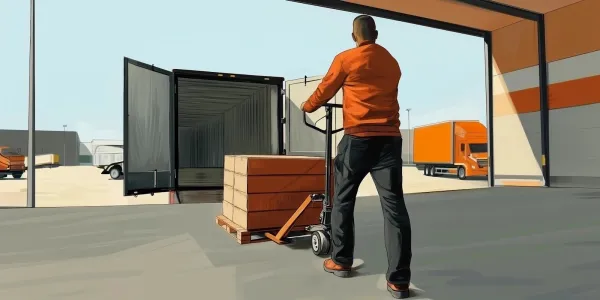
Visualizing an Automated Routing Rule
 How DataDocks Does it Differently
Manual scheduling relies on tribal knowledge; rules that exist in people's heads and get missed when someone's out sick or a new coordinator starts. Other platforms offer basic rules (like slot caps), but DataDocks supports compound rules: "If product type is refrigerated AND weight exceeds 30,000 lbs, require supervisor approval AND restrict to Docks 8–10." You can layer conditions, set exceptions, and audit which rules triggered on any given booking.
Business Impact
Rules eliminate the most expensive category of scheduling errors: the ones caused by someone not knowing the rule existed. A hazmat load booked next to a food dock. A heavy load sent to a dock with a weight restriction. An appointment scheduled during a maintenance window. Each of these creates costly disruption. Automated rules catch them before they happen, turning reactive firefighting into proactive prevention.
Every warehouse has unwritten rules about what goes where and when. Automating those rules ensures they are enforced consistently, regardless of who is managing the schedule.
Common Automation Rules
| Rule | Condition | Action | Why It Matters |
|---|---|---|---|
| Dock restriction | Product = Hazmat | Only allow Docks 1–2 | Safety compliance |
| Time block | Day = Sunday | Block all bookings | Facility closed |
| Approval gate | Carrier = new/unvetted | Require supervisor sign-off | Risk management |
| Buffer enforcement | Gap between loads < 30 min | Reject booking | Prevent dock congestion |
| Weight cap | Load > 42,000 lbs | Restrict to reinforced docks | Equipment protection |
When your scheduling logic is hardcoded into the system, you transition from reactive firefighting to proactive flow management.
Automated rules are how you codify operational knowledge and make it survive personnel turnover. They're also the backbone of compliance; when auditors ask "how do you ensure X never happens," you can show them the rule, the enforcement log, and every exception that was manually approved. As your operation scales to multiple sites, rules become the consistency layer that keeps every facility operating to the same standard.