DataDocks Features
WMS & TMS Integrations
Use DataDocks as a standalone dock scheduling system or integrate it seamlessly with your WMS/TMS to eliminate double entry and streamline operations.
Trusted by the best



How to Implement This in Your Operations
DataDocks works standalone from day one; no integration required to start scheduling. When you're ready to connect your WMS or TMS, the integration uses a REST API with webhook support. Common integrations (SAP EWM, Blue Yonder, Oracle WMS, Manhattan, and major TMS platforms) have documented patterns. Your IT team or DataDocks' integration support can typically get a basic bi-directional sync running in 1–2 weeks. Start with PO sync (appointments auto-populate from your WMS) and expand from there.
DataDocks as the integration bridge
 How DataDocks Does it Differently
Many dock scheduling tools claim "integration" but deliver a one-way CSV export. DataDocks provides true bi-directional integration: appointment data flows into your WMS, and order/PO data flows back into DataDocks. Webhooks push real-time status updates (arrived, loading, departed) to your TMS or visibility platform without polling. For legacy systems, an optional X12/EDIFACT bridge handles EDI without custom middleware.
Business Impact
Double entry is the most obvious cost: every appointment that has to be keyed into both DataDocks and your WMS wastes 2–3 minutes and introduces error risk. At 80 loads per day, that's 3–4 hours of redundant data entry. But the bigger win is data consistency; when your WMS and dock schedule are in sync, receiving can pre-stage, labour can be planned against confirmed arrivals, and your TMS has real-time dock status for carrier communication.
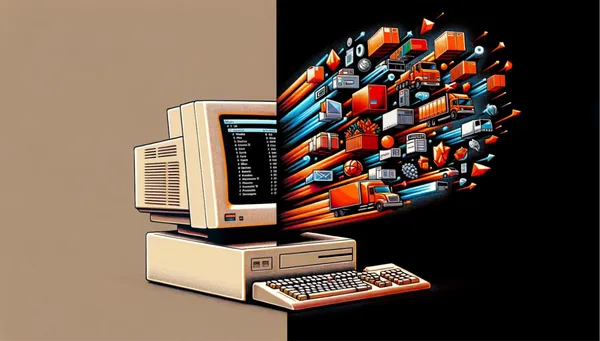
DataDocks doesn't operate in a vacuum. By integrating directly with your existing systems, it eliminates double data entry and keeps your entire tech stack perfectly synchronized.
Integration Capabilities
| Integration | Direction | What Syncs | Benefit |
|---|---|---|---|
| WMS → DataDocks | Inbound | PO/ASN data auto-creates appointments | Eliminates manual appointment creation |
| DataDocks → WMS | Outbound | Arrival/departure timestamps | Receiving can pre-stage; labour planning |
| DataDocks → TMS | Outbound | Real-time dock status via webhook | Carrier gets live ETA updates |
| ERP → DataDocks | Inbound | Order data, carrier assignments | Single source of truth |
| DataDocks → BI tools | Outbound | All operational data via API | Custom dashboards and analytics |
Seamless integrations form the central nervous system of a highly automated, touchless supply chain.
Integration is what turns DataDocks from a scheduling tool into a logistics data hub. When dock events (arrival, dock-in, dock-out, departure) flow automatically to your WMS, TMS, and visibility platforms, you create a continuous data stream across your supply chain. This is the foundation for end-to-end visibility, automated workflows, and the kind of cross-system intelligence that supply chain centres of excellence are built on.